Introduction
Keeping track of your electricity bill has become much easier than visiting a customer service office or waiting for a printed bill. Most electricity distribution companies in Bangladesh now provide online services that allow customers to check their current bills, view previous bills, and even pay their dues from home.
Whether you receive electricity from BPDB, DESCO, DPDC, BREB, NESCO, WZPDCL, or a local Palli Bidyut Samity (PBS), knowing how to perform an electricity bill check can help you stay informed about your monthly electricity usage, avoid late payment charges, and quickly identify any unexpected changes in your bill.
This guide explains everything you need to know about checking your electricity bill online in Bangladesh. You’ll learn about the major electricity providers, the official methods for checking bills, the information you’ll need before getting started, and practical tips to make the process simple and secure.
If you’re checking your bill for the first time or looking for the fastest and safest way to verify your electricity charges, this guide will walk you through each step.
Table of Contents
What Is Electricity Bill Check?
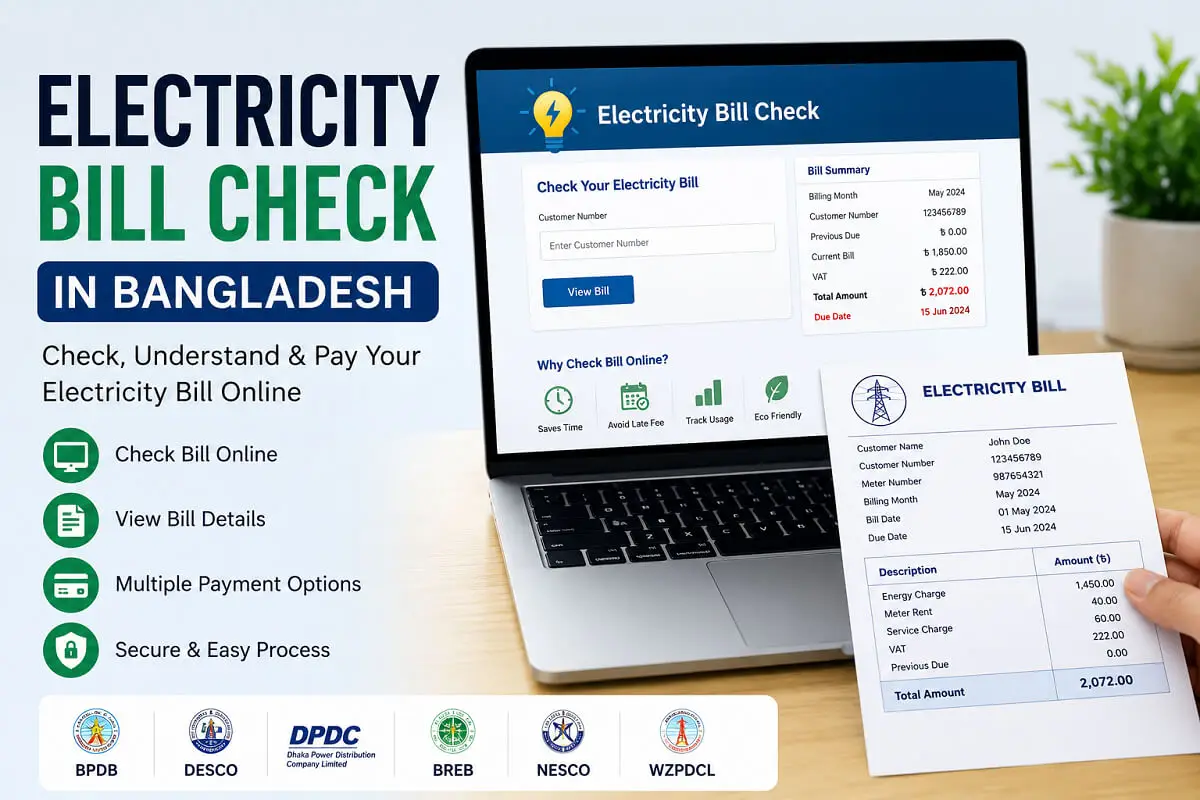
An electricity bill check is the process of viewing your latest electricity bill to find out how much you owe, when the payment is due, and how much electricity you have used during the billing period.
Today, most electricity providers in Bangladesh allow customers to check their bills through official websites, mobile applications, or other digital services. Instead of waiting for a printed bill to arrive, you can access your billing information anytime using your customer or account details.
A typical electricity bill check allows you to see important information such as:
- Current bill amount
- Previous outstanding balance
- Due date
- Billing month
- Meter reading
- Electricity consumption (kWh)
- VAT and service charges
- Total payable amount
- Payment status
Checking your bill regularly helps you stay informed about your monthly electricity usage and ensures that you pay on time.
Tip: Always use the official website or mobile app provided by your electricity distribution company to check your bill. This helps protect your personal information and ensures the billing details are accurate.
Why Should You Check Your Electricity Bill Online?
Online bill checking offers several advantages over traditional paper bills. It is faster, more convenient, and available whenever you need it.
Here are some of the main benefits.
1. Save Time
You don’t need to visit an electricity office or wait for a printed bill. With an internet connection, you can check your bill within a few minutes.
2. Access Your Bill Anytime
Official online services are available 24 hours a day, allowing you to check your electricity bill whenever it’s convenient.
3. Avoid Late Payment Fees
Checking your bill regularly helps you remember payment deadlines and reduces the risk of paying late fees or facing service interruptions.
4. Monitor Electricity Usage
Comparing your monthly bills helps you understand how much electricity your household or business consumes. If you notice an unexpected increase, you can investigate possible causes such as seasonal appliance use, faulty equipment, or changes in household occupancy.
5. Verify Billing Accuracy
Mistakes can happen occasionally. By reviewing your bill each month, you can check whether:
- Meter readings appear reasonable.
- The billing period is correct.
- Previous payments have been recorded.
- Outstanding balances are accurate.
If you notice any discrepancies, contact your electricity provider promptly through its official customer support channels.
6. Plan Your Monthly Budget
Knowing your electricity expenses in advance helps families and businesses manage their monthly budgets more effectively.
7. Pay Immediately After Checking
Many electricity providers allow customers to proceed directly from bill checking to online payment using banks, mobile financial services, or official payment platforms, making the process quick and convenient.
8. Keep Digital Records
Many providers let you view or download previous bills, making it easier to maintain payment records for budgeting, tax documentation, rental agreements, or business accounting.
Quick Summary
Checking your electricity bill online offers several practical advantages:
| Benefit | Why It Matters |
|---|---|
| Quick Access | View your bill within minutes. |
| 24/7 Availability | Check your bill anytime from anywhere. |
| Better Budgeting | Track monthly electricity expenses. |
| Avoid Late Fees | Stay aware of payment deadlines. |
| Monitor Usage | Compare monthly electricity consumption. |
| Verify Accuracy | Review meter readings and bill details. |
| Convenient Payment | Pay your bill immediately after checking, where supported. |
| Digital Records | Access previous bills for future reference. |
Major Electricity Providers in Bangladesh
Electricity distribution in Bangladesh is managed by several government-owned organizations, each serving specific geographic areas. Before performing an electricity bill check, it’s important to know which company supplies electricity to your home or business. Using the correct provider’s official website or app ensures you receive accurate billing information.
The table below gives an overview of the major electricity distribution companies in Bangladesh.
| Electricity Provider | Service Area | Customers |
|---|---|---|
| Bangladesh Power Development Board (BPDB) | Various cities and districts | Residential, Commercial & Industrial |
| Dhaka Electric Supply Company (DESCO) | Parts of Dhaka City | Residential & Commercial |
| Dhaka Power Distribution Company (DPDC) | Dhaka South and surrounding areas | Residential & Commercial |
| Bangladesh Rural Electrification Board (BREB) | Rural Bangladesh through Palli Bidyut Samities | Residential, Agricultural & Commercial |
| Northern Electricity Supply PLC (NESCO) | Rajshahi and Rangpur divisions | Residential & Commercial |
| West Zone Power Distribution Company Limited (WZPDCL) | Khulna and nearby districts | Residential & Commercial |
Each provider has its own customer portal, mobile application, and customer service system. Although the process is similar, the required account information and website may differ.
Information You’ll Need Before Checking Your Electricity Bill
Before starting an online electricity bill check, gather the information printed on your previous electricity bill. Having these details ready will make the process faster and help avoid errors.
Depending on your electricity provider, you may need one or more of the following:
- Customer Number
- Consumer Number
- Account Number
- Customer ID
- Meter Number
- Bill Number
- Mobile Number (for registered customers)
Most providers display these details near the top of the printed bill.
Note: If you cannot locate your customer or account number, check a previous bill or contact your electricity provider’s customer support.
How to Check Electricity Bills Online?
Although each provider has its own website or mobile app, the overall process is very similar.
Step 1: Identify Your Electricity Provider
First, determine which company supplies electricity to your area.
Examples include:
- BPDB
- DESCO
- DPDC
- BREB (Palli Bidyut)
- NESCO
- WZPDCL
Step 2: Visit the Official Website or Mobile App
Always use the official website or mobile application of your electricity provider.
Avoid unofficial websites that ask for unnecessary personal or banking information.
Step 3: Open the Bill Check Section
Most provider websites include a section labeled:
- Bill Check
- Bill Inquiry
- Bill Information
- View Bill
- Customer Portal
Select the appropriate option.
Step 4: Enter Your Customer Information
You may be asked to enter:
- Customer Number
- Account Number
- Consumer ID
- Meter Number
Enter the information exactly as it appears on your electricity bill.
Step 5: Verify Security Information
Some websites require:
- CAPTCHA verification
- OTP verification
- Mobile verification
Complete the required security step before proceeding.
Step 6: View Your Electricity Bill
After successful verification, you’ll usually see:
- Billing Month
- Current Bill
- Previous Due
- Total Payable Amount
- Due Date
- Payment Status
- Electricity Consumption
- Meter Reading
Some providers also allow you to download or print the bill.
Official Bill Checking Methods by Provider
Below are the official methods used by major electricity companies in Bangladesh.
BPDB Bill Check
The Bangladesh Power Development Board (BPDB) supplies electricity to many districts across Bangladesh.
Customers can generally check:
- Current bill
- Previous bills
- Payment status
- Outstanding balance
Before checking your bill, keep your Customer Number or Account Number ready.
BPDB also provides digital services that make it easier for customers to manage their electricity accounts.
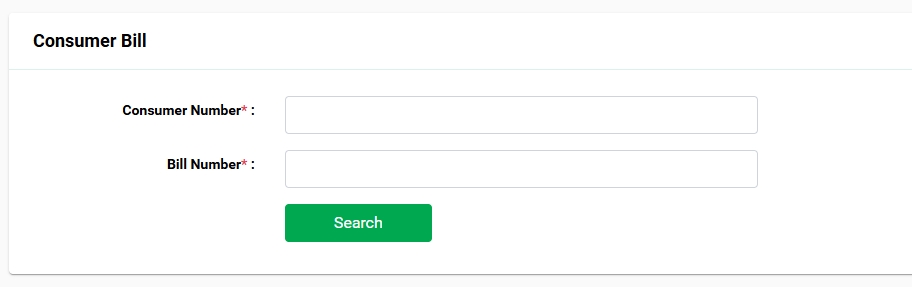
BPDB official Website to Check Electric Bill
DESCO Bill Check
Dhaka Electric Supply Company (DESCO) serves many residential and commercial customers in northern parts of Dhaka.
DESCO customers can typically:
- View current bills
- Review payment history
- Monitor electricity usage
- Download billing information
Your Customer Number is usually required.
DPDC Bill Check
Dhaka Power Distribution Company (DPDC) provides electricity to much of southern Dhaka and nearby areas.
Its online services commonly allow customers to:
- Check current bills
- View due amounts
- Verify payment status
- Access previous billing information
Have your Customer Number available before checking.
BREB (Palli Bidyut) Bill Check
The Bangladesh Rural Electrification Board (BREB) operates through numerous Palli Bidyut Samities (PBS) across rural Bangladesh.
Customers can generally:
- Check monthly bills
- Verify outstanding dues
- Review account information
- Access customer services
Depending on your PBS, the online interface may vary slightly.
NESCO Bill Check
Northern Electricity Supply PLC (NESCO) supplies electricity across Rajshahi and Rangpur divisions.
Customers can usually:
- Check bills online
- View payment information
- Monitor billing history
- Access customer support services
You’ll typically need your Customer Number or Consumer ID.
WZPDCL Bill Check
The West Zone Power Distribution Company Limited (WZPDCL) serves customers in Khulna and nearby districts.
Available online services generally include:
- Bill inquiry
- Payment status
- Customer account information
- Billing history
Always use the official WZPDCL website or mobile app for secure access.
Tips for a Smooth Electricity Bill Check
Following a few simple practices can make the process faster and help prevent common issues.
- Keep a copy of your previous bill for reference.
- Double-check your Customer or Account Number before submitting.
- Use a secure internet connection, especially when accessing billing information.
- Save or download your bill after viewing it for future reference.
- Bookmark your provider’s official website to avoid visiting unofficial pages.
- If the website is temporarily unavailable, wait a while and try again rather than repeatedly refreshing the page.
Quick Comparison of Bangladesh Electricity Providers
| Provider | Main Service Area | Online Bill Check | Payment Support |
|---|---|---|---|
| BPDB | Various districts | Yes | Yes |
| DESCO | North Dhaka | Yes | Yes |
| DPDC | South Dhaka | Yes | Yes |
| BREB / PBS | Rural Bangladesh | Yes | Yes |
| NESCO | Rajshahi & Rangpur | Yes | Yes |
| WZPDCL | Khulna Region | Yes | Yes |
How to Read Your Electricity Bill?
Understanding your electricity bill is just as important as checking it. A typical bill contains several sections that explain your electricity usage, charges, taxes, and payment details. Knowing what each item means can help you verify that your bill is accurate and identify any unusual changes.
Although the layout may differ slightly between providers, most electricity bills in Bangladesh include the following information.
| Bill Section | Description |
|---|---|
| Customer Name | Name of the registered customer |
| Customer Number | Unique account number used for bill checking and payments |
| Meter Number | Identification number of the installed electricity meter |
| Billing Month | The month for which the bill is generated |
| Previous Meter Reading | Meter reading from the previous billing cycle |
| Current Meter Reading | Latest recorded meter reading |
| Electricity Consumption | Total electricity used during the billing period (kWh) |
| Energy Charge | Cost of the electricity consumed |
| Demand Charge | Applicable for certain commercial or industrial connections |
| VAT & Taxes | Government taxes and applicable fees |
| Previous Due | Any unpaid balance carried forward |
| Total Amount | Total amount payable |
| Due Date | Last date to pay the bill without penalties |
Customer Number
The Customer Number (sometimes called Consumer Number or Account Number) is one of the most important details on your bill. You’ll need it whenever you:
- Check your electricity bill online
- Pay your bill
- Contact customer support
- Register for online services
- Report billing issues
It’s a good idea to save this number in a secure place for future use.
Meter Readings
Every bill includes two meter readings:
- Previous Reading: Recorded during the last billing cycle.
- Current Reading: Recorded during the current billing cycle.
The difference between these readings determines your electricity consumption.
Example
| Previous Reading | Current Reading | Electricity Used |
|---|---|---|
| 8,250 kWh | 8,490 kWh | 240 kWh |
If your consumption increases significantly compared to previous months, consider checking for:
- Seasonal appliance usage (such as air conditioners or heaters)
- New electrical appliances
- Increased household occupancy
- Faulty electrical equipment
- Possible meter issues (report suspected problems to your provider)
Electricity Consumption (kWh)
Electricity usage is measured in kilowatt-hours (kWh).
For example:
- Running a 1,000-watt appliance for one hour uses approximately 1 kWh of electricity.
Monitoring your monthly kWh usage can help you:
- Reduce unnecessary energy consumption.
- Compare monthly usage patterns.
- Estimate future electricity costs.
- Identify unusually high consumption early.
Previous Outstanding Balance
If a previous bill wasn’t fully paid, the remaining amount appears as the Previous Due or Outstanding Balance.
Always review this section to ensure your recent payments have been correctly recorded. If you notice an error, contact your electricity provider with your payment receipt or transaction reference.
VAT and Additional Charges
Your electricity bill may include charges such as:
- Government VAT
- Service charges
- Meter-related fees (where applicable)
- Other approved regulatory charges
These charges are determined by applicable regulations and may vary depending on your electricity provider and customer category.
Due Date
The due date indicates the final day to pay your bill without incurring late payment charges.
Missing the due date may result in:
- Late payment fees
- Additional outstanding balance
- Service restrictions or disconnection in accordance with your provider’s policies
Setting reminders or enabling bill notifications can help you avoid missing payment deadlines.
Common Electricity Bill Problems and Solutions
Sometimes you may encounter issues while checking your electricity bill online or reviewing your billing information. Most problems can be resolved quickly by verifying your details or contacting your provider.
1. Bill Not Showing Online
Possible Reasons
- The bill has not yet been generated.
- The website is undergoing maintenance.
- Incorrect Customer Number entered.
- Temporary server issue.
What You Can Do
- Double-check your Customer Number.
- Wait a few hours and try again.
- Use the official mobile app if available.
- Contact customer support if the issue persists.
2. Incorrect Bill Amount
If your bill appears much higher or lower than expected:
Check the Following
- Meter readings
- Billing month
- Previous outstanding balance
- Electricity usage
- Recent appliance usage
If the information still seems incorrect, report the issue through your provider’s official customer service channels.
3. Customer Number Not Found
This usually happens because:
- An incorrect number was entered.
- The account is newly created.
- The account information has not yet been updated online.
Review your previous bill carefully and enter the number exactly as printed.
4. Payment Still Showing as Unpaid
Sometimes online systems take time to update after a payment is made.
Before reporting the issue:
- Wait for the provider’s system to refresh.
- Verify that the payment was successful through your bank or mobile financial service.
- Keep your payment confirmation or transaction ID.
If the payment status doesn’t update after a reasonable period, contact your electricity provider.
5. Website Is Slow or Unavailable
Official electricity websites may experience heavy traffic, especially near payment deadlines.
If this happens:
- Try again later.
- Use the provider’s official mobile app if available.
- Avoid refreshing the page repeatedly.
How to Pay Your Electricity Bill?
After completing your electricity bill check, you can pay your bill using several convenient methods. The available options may vary depending on your electricity provider.
Online Banking
Many banks in Bangladesh allow customers to pay electricity bills through:
- Internet Banking
- Mobile Banking Apps
- ATM Services
Payments are usually reflected in your account after processing.
Mobile Financial Services (MFS)
Many customers prefer paying electricity bills through Mobile Financial Services because they are fast and convenient.
Common MFS platforms in Bangladesh include:
- bKash
- Nagad
- Rocket
- Upay (where supported)
Before confirming your payment, always verify:
- Customer Number
- Bill Amount
- Billing Month
Bank Branches
Customers who prefer traditional payment methods can visit authorized bank branches that accept electricity bill payments for their provider.
Remember to collect and keep the payment receipt.
Official Mobile Apps
Many electricity providers offer official mobile applications where customers can:
- Check bills
- View payment history
- Receive notifications
- Pay bills (where supported)
- Manage customer accounts
Download these apps only from trusted app stores and verify that they are published by the official electricity provider.
Authorized Payment Partners
Some electricity providers work with approved payment gateways and partner organizations.
Before making a payment:
- Confirm that the payment platform is officially authorized.
- Check the payment details carefully.
- Save the transaction confirmation for your records.
Safety Tips for Online Electricity Bill Check
When checking or paying your electricity bill online, protecting your personal information is essential.
Follow these best practices:
Always Use Official Websites
Only access bill checking services through the official website or mobile application of your electricity provider.
Avoid clicking on links from unknown emails, text messages, or social media posts claiming to offer bill payment services.
Verify the Website Address
Before entering your Customer Number or payment information:
- Check that the website address is correct.
- Ensure the connection is secure (look for HTTPS and the padlock icon in your browser).
Never Share Sensitive Information
Your electricity provider will not ask for sensitive details such as:
- ATM PIN
- Mobile banking PIN
- Debit or credit card PIN
- One-Time Password (OTP) through unsolicited calls or messages
Never share these details with anyone.
Keep Payment Records
After every payment:
- Save the digital receipt.
- Take a screenshot of the confirmation page.
- Keep the transaction ID until the payment appears on your account.
Monitor Your Monthly Bills
Review your electricity bill every month to:
- Spot unusual increases in usage.
- Verify previous payments have been applied.
- Detect potential billing errors early.
Regular monitoring makes it easier to address issues before they become larger problems.
Quick Checklist Before Paying Your Bill
- Confirm your Customer Number is correct.
- Verify the billing month.
- Check the total payable amount.
- Use only official or authorized payment channels.
- Save your payment confirmation.
- Review your payment status after processing.
Frequently Asked Questions (FAQs)
Below are answers to some of the most common questions about electricity bill check in Bangladesh.
How can I check my electricity bill online in Bangladesh?
You can check your electricity bill by visiting the official website or mobile app of your electricity provider. Enter your Customer Number, Consumer ID, or Account Number to view your latest bill, payment status, and billing details.
Is checking my electricity bill online free?
Yes. Most electricity providers in Bangladesh allow customers to check their bills online without any additional charge. However, standard internet or mobile data charges from your service provider may apply.
What information do I need to check my electricity bill?
Depending on your provider, you may need:
– Customer Number
– Consumer Number
– Account Number
– Customer ID
– Meter Number (in some cases)
You can usually find these details on your previous electricity bill.
Which electricity companies offer online bill checking in Bangladesh?
Several electricity distribution companies provide online bill inquiry services, including:
– Bangladesh Power Development Board (BPDB)
– Dhaka Electric Supply Company (DESCO)
– Dhaka Power Distribution Company (DPDC)
– Bangladesh Rural Electrification Board (BREB)
– Northern Electricity Supply PLC (NESCO)
– West Zone Power Distribution Company Limited (WZPDCL)
Always use their official websites or mobile applications.
Can I check my previous electricity bills?
Yes. Many providers allow customers to view billing history and previous bills through their customer portal or mobile app. The available history may vary depending on the provider.
Why is my electricity bill higher than usual?
Higher bills can result from several factors, such as:
– Increased electricity usage
– Seasonal appliance use (e.g., air conditioners)
– More people staying in the household
– New electrical appliances
– Changes in tariff rates
– Billing adjustments
If you believe the bill is incorrect, compare your meter readings and contact your electricity provider.
What should I do if I can’t find my bill online?
First, verify that you entered the correct Customer Number or Account Number. If the problem continues:
– Wait a few hours if the bill has just been issued.
– Try again later if the website is busy.
– Contact your electricity provider’s customer support.
Can I pay my electricity bill immediately after checking it?
Yes. Most providers support payment through banks, mobile financial services (MFS), internet banking, or authorized payment partners. The available payment methods depend on your electricity provider.
Is it safe to check my electricity bill online?
Yes, as long as you use the official website or mobile app of your electricity provider. Avoid unofficial websites and never share your PIN, password, or one-time password (OTP) with anyone.
How often should I check my electricity bill?
It’s a good habit to check your bill once every billing cycle. Regular bill checks help you:
– Avoid late payment fees
– Monitor electricity consumption
– Detect unusual increases in usage
– Verify billing accuracy
What should I do if my payment isn’t reflected in my account?
Sometimes payment updates take a little time to appear. If your payment status remains unchanged:
– Verify the transaction with your bank or MFS provider.
– Keep your payment receipt or transaction ID.
– Contact your electricity provider if the payment isn’t updated after a reasonable period.
Can I download or print my electricity bill?
Many electricity providers allow customers to download or print their bills through their online portals. Availability depends on the provider’s digital services.
Final Thoughts
Performing an electricity bill check online is one of the easiest ways to stay informed about your monthly electricity usage and payment obligations. Instead of waiting for a printed bill, you can quickly view your current charges, monitor your electricity consumption, and make timely payments from the comfort of your home.
Whether your electricity service is provided by BPDB, DESCO, DPDC, BREB, NESCO, or WZPDCL, using the official website or mobile app helps ensure that the information you receive is accurate and secure. Regularly reviewing your bill can also help you identify unusual changes in consumption, verify meter readings, and avoid unnecessary late payment charges.
If you ever notice discrepancies in your bill, contact your electricity provider promptly and keep copies of your bills and payment receipts for future reference.
By following the guidance in this article, you can confidently check your electricity bill online, understand your billing details, and choose the most convenient payment method available.
Key Takeaways
- Use only the official website or mobile app of your electricity provider.
- Keep your Customer Number or Account Number readily available.
- Check your bill every month to monitor electricity usage and payment deadlines.
- Compare your current bill with previous bills to identify unexpected changes.
- Save digital copies or payment receipts for future reference.
- Never share sensitive information such as your banking PIN or OTP.
- Contact your electricity provider if you notice any billing errors or payment issues.